WhenTrain — An app I built from my phone.
Early one morning, while waiting to be called in for a routine check, I had some unexpected downtime. I pulled out my phone with Claude's Dispatch mode connected to my home computer and started planning an app I'd been thinking about.
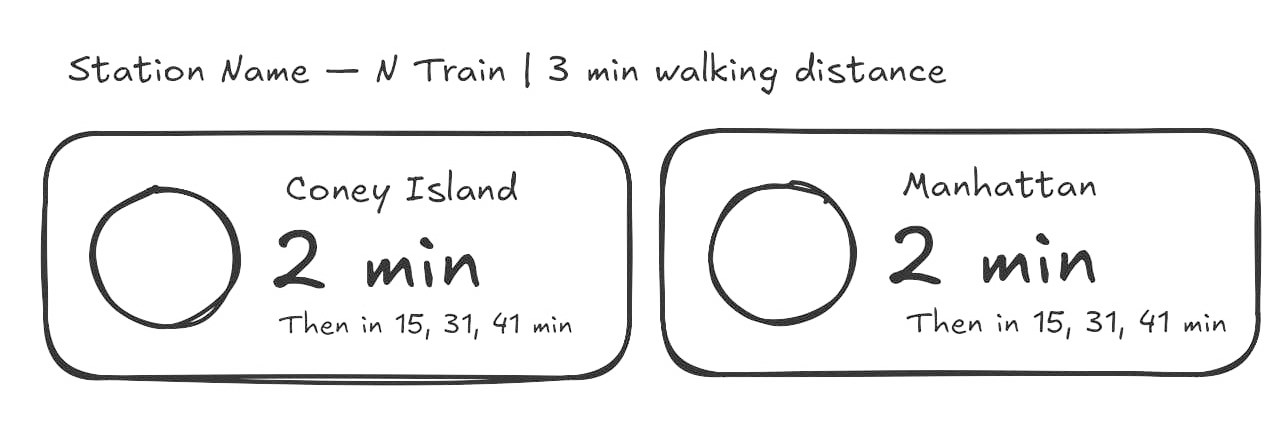
It sent me screenshots. I drew doodles in Excalidraw, explaining how I imagined the cards. Then I asked it to install ngrok and serve the app over the internet so I could take a peek—and it did. Wow.
The Problem
I always know which train I need and which direction I'm going. That part’s automatic. What I never know is when to leave.
The MTA app makes this painful. You search for a station, find the right line, find the right direction—and if you're somewhere you don’t go often and forgot to save it to favorites, you have to do the whole thing again. Google Maps isn't much better: type in a destination, tap Directions, select transit, scroll through options. Six taps before you even see a departure time.
I just want to open something, glance at the next train from wherever I am, and know whether I need to run or have time to finish my coffee.
What WhenTrain Does
Open the app, and it grabs your GPS location, finds the three nearest subway stations, and shows the next trains in both directions—with minutes until arrival and walking distance. No search. No favorites. No navigation.
It’s a PWA (Progressive Web App), so you can add it to your iPhone home screen from Safari, and it opens like a native app—no App Store, no install.
How To Use It
Open https://whentrain.lushchik.com on your iPhone and tap the Share button in Safari. Select "Add to Home Screen", and you’ll have an icon on your home screen. Tap it, and the app opens.
On Android, add it to your home screen via Chrome’s menu or use the "Install" prompt that appears automatically (probably... I haven’t used Android in a long time).
The Tech
I also used this as an excuse to try a few things I’d been putting off:
- Lit 3 for the frontend—a lightweight library for building web components with Shadow DOM. Refreshingly minimal.
- Vite as the build tool, with
vite-plugin-pwahandling the PWA manifest and service worker - Express on the backend
- MTA GTFS-RT for real-time train data—completely free, no API key required (there’s a fun URL encoding quirk that makes this work)
- Redis to cache the feed, keeping the MTA’s servers happy
- nginx + Docker Compose for serving and orchestrating everything
- Coolify for self-hosted deployment with auto-deploy on git push
Built in a couple of hours. Probably saves me 30 seconds a day. Worth it.